
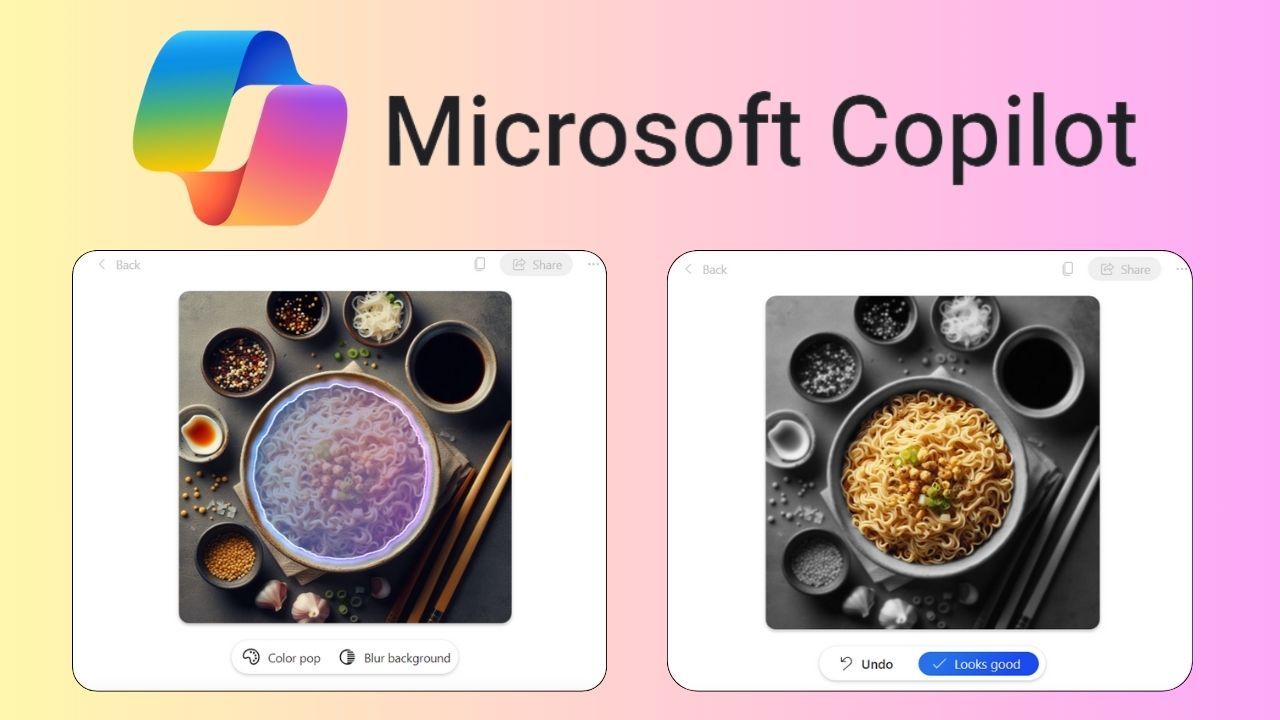
Copilot AI is Microsoft’s artificial intelligence assistant embedded across Windows, Office, and Edge. It launched as Bing Chat in February 2023 and was rebranded to Microsoft Copilot in November 2023. Powered by OpenAI’s GPT-4 and DALL-E 3, it can generate text, images, and assist with coding.
How Copilot AI Works Across Microsoft’s Ecosystem
Copilot AI is not a single product but a family of integrations. In Windows 11, it appears as a sidebar that can adjust settings, launch apps, or answer questions. In Microsoft 365, it works inside Word, Excel, PowerPoint, and Teams. The assistant uses the user’s Microsoft Graph data — emails, calendar, files — to provide context-aware help. For example, in Teams, Copilot can recap a meeting and list action items. In Excel, it can generate charts and formulas from natural language queries. The underlying model is GPT-4, with DALL-E 3 for image generation. Copilot also connects to the web via Bing, so it can fetch real-time information. Microsoft has added voice input and vision capabilities in 2024, allowing users to point their phone camera at an object and ask about it. The assistant supports plugins for third-party services like Spotify and Adobe, expanding its utility beyond Microsoft’s own apps. A reference profile of the subject is maintained on Microsoft Copilot: Your AI companion
| Feature | Description |
|---|---|
| Text generation | Draft emails, documents, and reports using GPT-4. |
| Image creation | Generate images from text prompts via DALL-E 3. |
| Web search | Retrieve current information through Bing integration. |
| Code assistance | Copilot for GitHub offers code completion and debugging. |
| Voice and vision | Speak queries or use camera for visual recognition. |
Common Misconceptions About Copilot AI
One frequent misunderstanding is that Copilot AI is the same as ChatGPT. While both use OpenAI models, Copilot is a Microsoft product with deeper integration into its ecosystem. Another misconception is that Copilot is only for Office users. In reality, it is available as a standalone app on mobile and desktop, and through Bing search. Some believe Copilot is entirely free, but there is a paid tier called Copilot Pro for $20 per month that offers priority access and integration with Microsoft 365. Others think Copilot can replace human judgment entirely. It can summarize and generate content, but it may produce errors or biased outputs. Microsoft has implemented safeguards, but users should verify critical information. A further myth is that Copilot stores all user data indefinitely. Microsoft states that chat data is handled according to its privacy policy, with options to delete history. However, privacy advocates have raised concerns about data handling, especially in enterprise settings. Finally, some assume Copilot works offline. While some features may cache data, most functions require an internet connection to access the cloud-based AI models.
Real-World Impact and User Reception
Copilot AI has seen rapid adoption since its launch. Microsoft reported over 100 million daily active users in early 2024. In workplaces, it has been used to automate routine tasks like drafting emails and summarizing meetings. Some users report significant time savings, while others find the suggestions sometimes miss context. In education, students use it to brainstorm ideas or explain concepts. Developers have embraced Copilot for GitHub, which offers code suggestions and can detect bugs. However, there are concerns about over-reliance on AI, potentially reducing critical thinking skills. Culturally, Copilot has sparked discussions about the future of work and the role of AI in creative fields. Some artists worry about image generation tools like DALL-E 3 replacing human creativity. Microsoft has responded by adding content credentials to AI-generated images to indicate their origin. The assistant has also been used in accessibility contexts, helping people with disabilities interact with computers through voice commands. Overall, reception is mixed: many appreciate the convenience, but some are wary of privacy and job displacement.
Behind the Scenes: Development and Methodology
Microsoft’s development of Copilot AI began with the integration of OpenAI’s GPT models into Bing. The project was accelerated after the success of ChatGPT in late 2022. The team focused on making the assistant context-aware by connecting it to Microsoft Graph, which includes user data from Office 365. This required careful engineering to ensure privacy and security. The model is fine-tuned to handle specific tasks like summarizing documents or generating Excel formulas. Microsoft also developed a plugin system to allow third-party integrations, similar to how ChatGPT plugins work. The company has invested in safety measures, including content filters and human review for sensitive topics. The rollout was phased: first as Bing Chat, then expanded to Windows, Office, and GitHub. The rebranding to Microsoft Copilot in November 2023 unified the product under one name. Microsoft continues to update the assistant, adding features like voice and vision in 2024. The methodology emphasizes iterative improvement based on user feedback and real-world usage data.
Frequently Asked Questions
Is Copilot AI still free to use?
Yes, Copilot AI has a free tier that provides access to GPT-4 and DALL-E 3 with some limitations. A paid subscription called Copilot Pro costs $20 per month and offers priority access, faster performance, and integration with Microsoft 365 apps.
Does Copilot AI have privacy issues?
Privacy concerns have been raised about data handling, especially in enterprise environments. Microsoft states that chat data is encrypted and can be deleted. However, some critics worry about data being used for model training. Users should review Microsoft’s privacy policy for details.
What is Copilot AI best known for?
Copilot AI is best known for its deep integration into Microsoft products like Windows, Office, and GitHub. It can summarize documents, draft emails, generate images, and assist with coding, making it a versatile productivity tool.
How does Copilot AI differ from ChatGPT?
Both use OpenAI models, but Copilot is a Microsoft product with tighter integration into Windows and Office. Copilot can access user data from Microsoft Graph and perform actions like adjusting system settings, while ChatGPT is a standalone chatbot with broader third-party plugins.
Where is Copilot AI available?
Copilot AI is available as a sidebar in Windows 11, as a mobile app for iOS and Android, and through the Bing search engine. It is also integrated into Microsoft 365 apps and GitHub. The service is accessible in many countries, but some features may be region-specific.
How Copilot AI Handles Privacy and Data Security
Privacy and data security are major concerns for users of AI assistants. Microsoft has implemented several measures to protect user data within Copilot AI. Chat conversations are encrypted in transit and at rest. Users can delete their chat history at any time. In enterprise settings, administrators can control data retention policies. Microsoft claims that it does not use customer data from commercial Copilot services to train its models. However, free-tier users should be aware that their interactions may be used for model improvement, though anonymized. The company has also introduced a feature called Copilot with Commercial Data Protection for users signed in with a work or school account, ensuring that data is not stored or used for training. Despite these safeguards, some privacy advocates remain cautious, especially regarding the integration with Microsoft Graph, which accesses emails, calendars, and files. Microsoft has published a transparency report detailing how Copilot handles data, and users are encouraged to review it. The company also complies with regulations like GDPR and CCPA, offering data subject rights to users in applicable regions.
Comparing Copilot AI to Other AI Assistants
The AI assistant market is crowded, with competitors like Google Gemini, Amazon Alexa, and Apple Siri. Copilot AI differentiates itself through deep integration with Microsoft’s productivity suite. Alexa and Siri focus more on smart home control and device management. Copilot’s ability to generate images with DALL-E 3 sets it apart from most assistants, which lack native image generation. Another key difference is Copilot’s code assistance capabilities via GitHub Copilot, which is widely used by developers. In terms of pricing, Copilot Pro at $20 per month is comparable to ChatGPT Plus, but includes Office integration. Google’s Gemini Advanced is also $20 per month. Amazon and Apple do not offer paid tiers for their assistants. Performance-wise, Copilot’s GPT-4 model provides high-quality responses, but some users find Gemini more accurate for factual queries. Copilot’s vision features, added in 2024, allow it to analyze images from a camera, a feature also available in Gemini. Ultimately, the best assistant depends on the user’s ecosystem: Copilot is ideal for Microsoft users, while Gemini suits Google users.
Future Directions for Copilot AI
Microsoft has ambitious plans for Copilot AI. The company is working on making Copilot more proactive, suggesting actions before users ask. Another area of development is improved multimodal capabilities, including video analysis and real-time translation. Microsoft is also exploring local AI processing to reduce reliance on cloud servers, which could improve privacy and speed. The company has announced plans to integrate Copilot into more products, including Xbox and Azure. In gaming, Copilot could help players with strategies or generate game content. For developers, GitHub Copilot is expected to gain more advanced code generation and debugging features. Microsoft is also investing in AI safety research, aiming to reduce biases and improve accuracy. The company has partnered with OpenAI to ensure responsible AI development. As AI regulations evolve, Microsoft will likely adapt Copilot to comply with new laws. The assistant may also become more personalized, learning user preferences over time. However, these advancements raise questions about data privacy and the potential for AI to influence user decisions. Microsoft has stated that it will prioritize user control and transparency in future updates.
How Copilot AI Is Shaping the Future of Work
The introduction of Copilot AI into daily workflows has prompted a shift in how tasks are approached. Many professionals now rely on the assistant to handle repetitive activities such as drafting standard emails or formatting spreadsheets. This allows them to focus on higher-level strategic thinking. In customer service, Copilot can generate responses to common inquiries, reducing response times. Some companies have reported increased productivity, but the long-term impact on job roles is still unfolding. There is concern that certain positions may become obsolete, while new roles focused on AI oversight may emerge. Microsoft has emphasized that Copilot is designed to augment human capabilities, not replace them. The company offers training resources to help users adapt. As AI becomes more integrated, organizations are developing policies to govern its use, addressing issues like accuracy, bias, and accountability. The future of work with Copilot AI will likely involve a partnership between humans and machines, with each playing to their strengths.
Technical Challenges and Limitations of Copilot AI
Despite its capabilities, Copilot AI faces several technical challenges. One issue is hallucination, where the model generates plausible but incorrect information. This can be problematic in professional settings where accuracy is critical. Microsoft has implemented content filters and fact-checking mechanisms, but errors still occur. Another limitation is context window size. While GPT-4 can handle large amounts of text, very long documents may exceed the model’s capacity, leading to incomplete summaries. Copilot also struggles with nuanced tasks that require deep domain expertise, such as complex legal reasoning or medical diagnosis. The assistant’s reliance on cloud servers means it requires a stable internet connection, which can be a barrier in areas with poor connectivity. Latency can also be an issue, especially for real-time applications like voice conversations. Microsoft is working on optimizing models for faster response times. Additionally, Copilot’s integration with Microsoft Graph raises technical challenges around data synchronization and permission management. Ensuring that the assistant accesses only authorized data is a complex engineering problem. Despite these hurdles, Microsoft continues to refine Copilot, releasing updates that address many of these limitations.
How Copilot AI Is Shaping the Future of Work
The introduction of Copilot AI into daily workflows has prompted a shift in how tasks are approached. Many professionals now rely on the assistant to handle repetitive activities such as drafting standard emails or formatting spreadsheets. This allows them to focus on higher-level strategic thinking. In customer service, Copilot can generate responses to common inquiries, reducing response times. Some companies have reported increased productivity, but the long-term impact on job roles is still unfolding. There is concern that certain positions may become obsolete, while new roles focused on AI oversight may emerge. Microsoft has emphasized that Copilot is designed to augment human capabilities, not replace them. The company offers training resources to help users adapt. As AI becomes more integrated, organizations are developing policies to govern its use, addressing issues like accuracy, bias, and accountability. The future of work with Copilot AI will likely involve a partnership between humans and machines, with each playing to their strengths.
Technical Challenges and Limitations of Copilot AI
Despite its capabilities, Copilot AI faces several technical challenges. One issue is hallucination, where the model generates plausible but incorrect information. This can be problematic in professional settings where accuracy is critical. Microsoft has implemented content filters and fact-checking mechanisms, but errors still occur. Another limitation is context window size. While GPT-4 can handle large amounts of text, very long documents may exceed the model’s capacity, leading to incomplete summaries. Copilot also struggles with nuanced tasks that require deep domain expertise, such as complex legal reasoning or medical diagnosis. The assistant’s reliance on cloud servers means it requires a stable internet connection, which can be a barrier in areas with poor connectivity. Latency can also be an issue, especially for real-time applications like voice conversations. Microsoft is working on optimizing models for faster response times. Additionally, Copilot’s integration with Microsoft Graph raises technical challenges around data synchronization and permission management. Ensuring that the assistant accesses only authorized data is a complex engineering problem. Despite these hurdles, Microsoft continues to refine Copilot, releasing updates that address many of these limitations.
How Copilot AI Is Shaping the Future of Work
The introduction of Copilot AI into daily workflows has prompted a shift in how tasks are approached. Many professionals now rely on the assistant to handle repetitive activities such as drafting standard emails or formatting spreadsheets. This allows them to focus on higher-level strategic thinking. In customer service, Copilot can generate responses to common inquiries, reducing response times. Some companies have reported increased productivity, but the long-term impact on job roles is still unfolding. There is concern that certain positions may become obsolete, while new roles focused on AI oversight may emerge. Microsoft has emphasized that Copilot is designed to augment human capabilities, not replace them. The company offers training resources to help users adapt. As AI becomes more integrated, organizations are developing policies to govern its use, addressing issues like accuracy, bias, and accountability. The future of work with Copilot AI will likely involve a partnership between humans and machines, with each playing to their strengths.
Technical Challenges and Limitations of Copilot AI
Despite its capabilities, Copilot AI faces several technical challenges. One issue is hallucination, where the model generates plausible but incorrect information. This can be problematic in professional settings where accuracy is critical. Microsoft has implemented content filters and fact-checking mechanisms, but errors still occur. Another limitation is context window size. While GPT-4 can handle large amounts of text, very long documents may exceed the model’s capacity, leading to incomplete summaries. Copilot also struggles with nuanced tasks that require deep domain expertise, such as complex legal reasoning or medical diagnosis. The assistant’s reliance on cloud servers means it requires a stable internet connection, which can be a barrier in areas with poor connectivity. Latency can also be an issue, especially for real-time applications like voice conversations. Microsoft is working on optimizing models for faster response times. Additionally, Copilot’s integration with Microsoft Graph raises technical challenges around data synchronization and permission management. Ensuring that the assistant accesses only authorized data is a complex engineering problem. Despite these hurdles, Microsoft continues to refine Copilot, releasing updates that address many of these limitations.